
- Free delivery on orders over $75
- Tracked delivery on every order
- 5 to 7 days across New Zealand, after a 24 to 48 hour handling time
- Secure checkout, we never store your card details
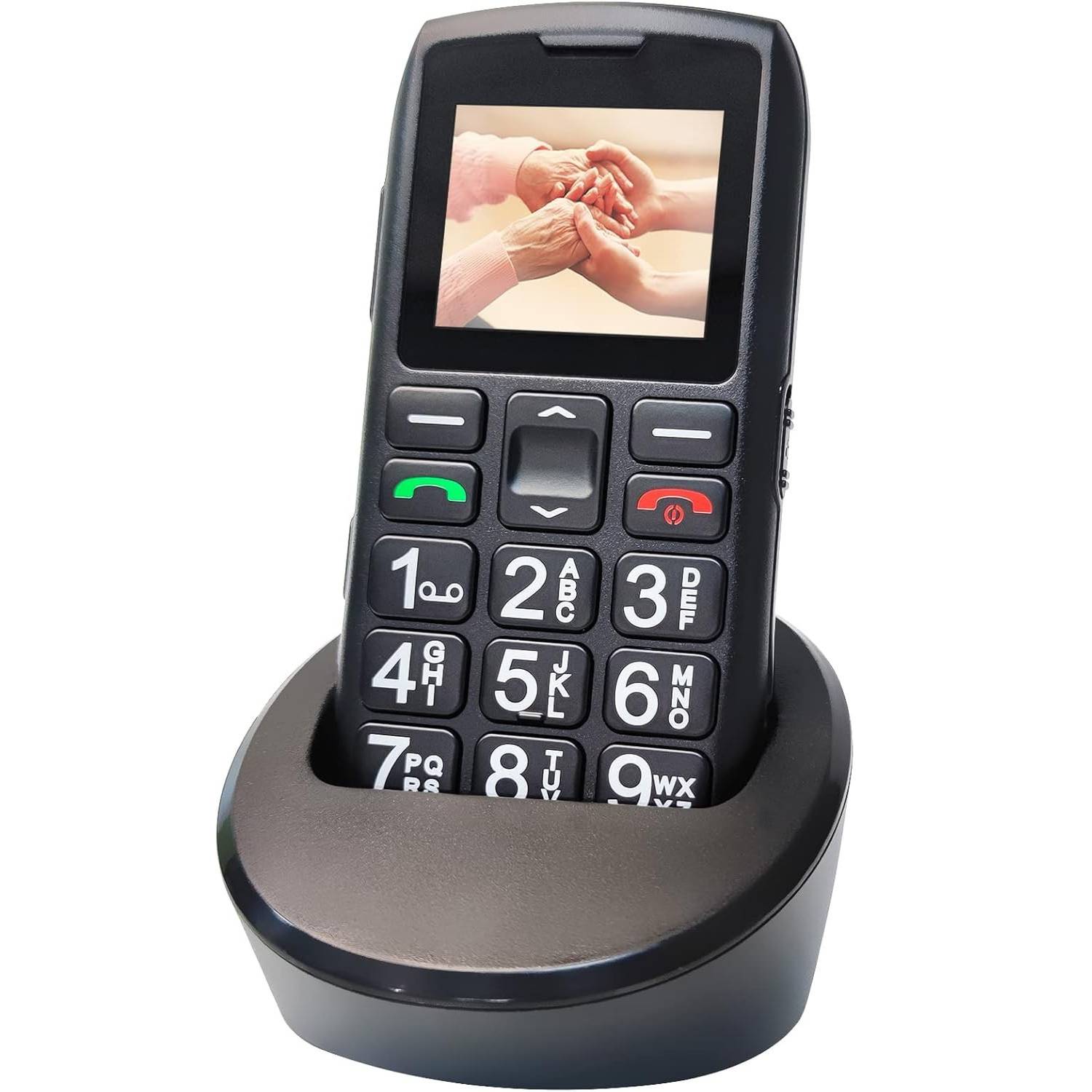
Mobile Phones For Seniors | Mobile Phone For Elderly | Big Button Mobile Phone
Mobile Phones For Seniors
- Non-Slip
- Rechargeable
- 4G
- Fits and Installs
Price: $179
- Delivery time: 5 to 7 days after a 24 to 48 hour handling time
- Free delivery across New Zealand on orders $75+, otherwise a flat $25
- Pay by card or PayPal, handled by the payment provider
- 14 days to change your mind, plus your statutory rights

Product specifications
| Fulfilment | Shipped direct from our supplier |
|---|---|
| Delivery | 5 to 7 days across New Zealand, after a 24 to 48 hour handling time |
Shipping & returns
Tracked delivery anywhere in New Zealand. It is free on orders of $75 or more, and a flat $25 below that. Allow 5 to 7 days, after a 24 to 48 hour handling time.
Change of mind is not a legal right in New Zealand, so the 15 days we give you from delivery is our own policy rather than a statutory return, and the goods have to come back in resaleable condition. We refund the price you paid, including standard delivery. You cover the cost of returning it unless the item is faulty.
If it arrives faulty, damaged or not as described, we put it right at no cost to you under the consumer guarantees in the Consumer Guarantees Act 1993, return postage included. Those guarantees cannot be excluded.
About this product
Use 4G big button phone with one-touch SOS emergency calling, 9-day battery life, and a loud adjustable speaker, designed from the ground up for seniors who just want to make calls without the fuss.
Every detail has been considered with older users in mind, from the oversized backlit keys to the non slip grip and lanyard hole.
Use 4G big button phone with one-touch SOS emergency calling, 9-day battery life, and a loud adjustable speaker, designed from the ground up for seniors who just want to make calls without the fuss.
Every detail has been considered with older users in mind, from the oversized backlit keys to the non slip grip and lanyard hole.
Built for ease of use, the C1+ features a clear 1.77-inch display with large fonts, bold menu icons, and a powerful speaker all designed to be straightforward and comfortable for older users.
The primary functions are calling and SMS, with none of the complexity of a smartphone.
Switch between ring, vibration, and silent modes with a long press of the 0 key.
Use 4G big button phone with one-touch SOS emergency calling, 9-day battery life, and a loud adjustable speaker, designed from the ground up for seniors who just want to make calls without the fuss.
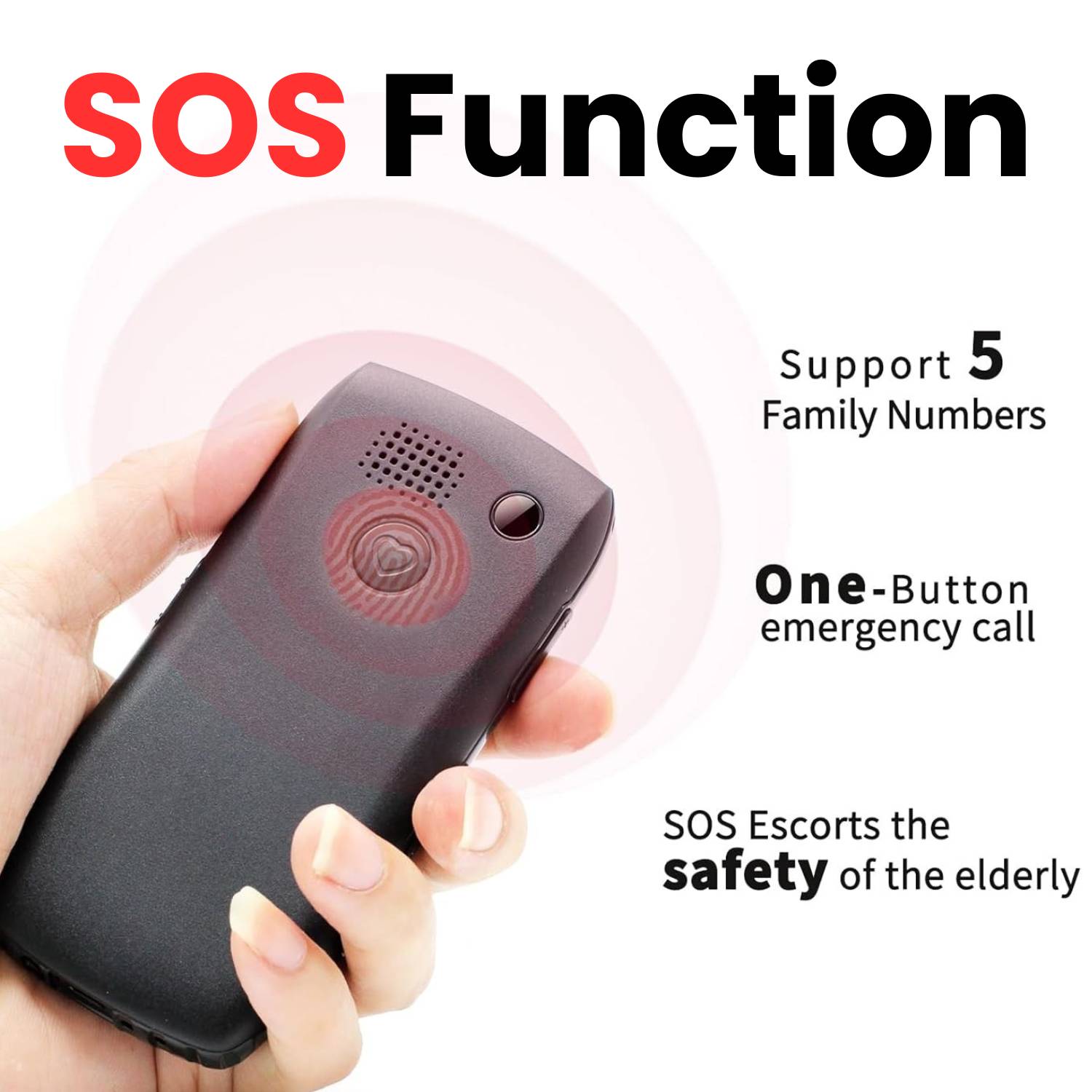
Every detail has been considered with older users in mind, from the oversized backlit keys to the non slip grip and lanyard hole.
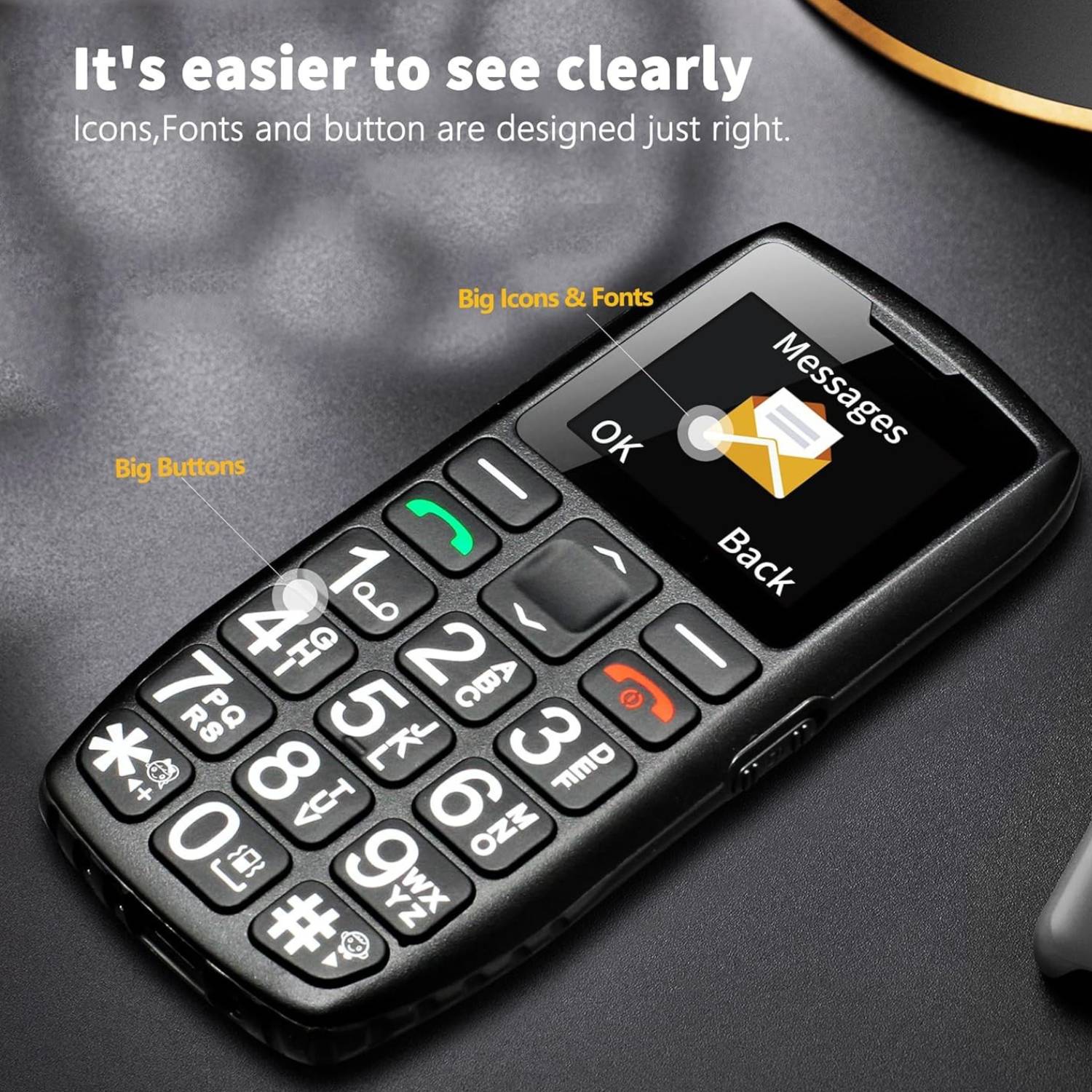
Built for ease of use, the C1+ features a clear 1.77-inch display with large fonts, bold menu icons, and a powerful speaker all designed to be straightforward and comfortable for older users.
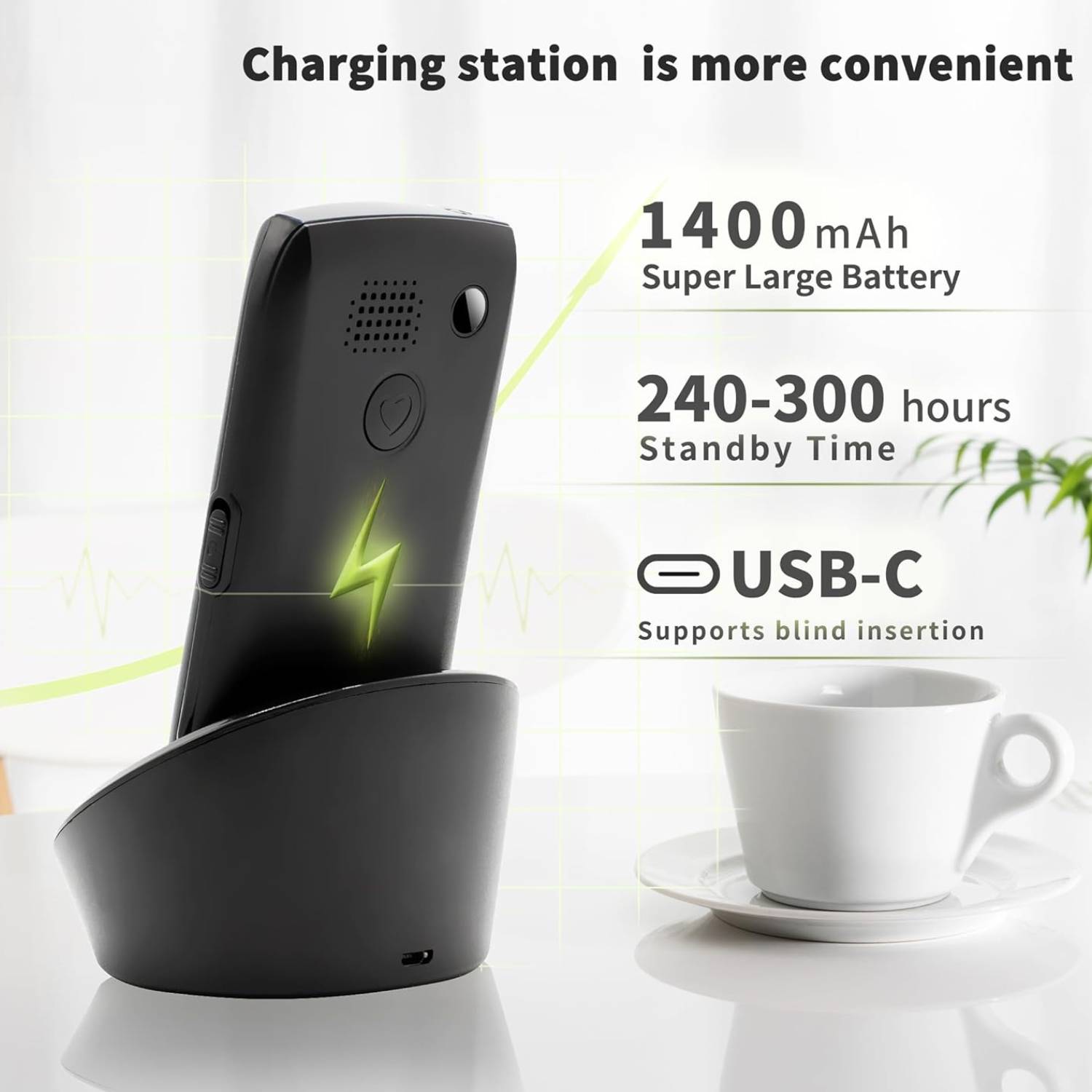
The primary functions are calling and SMS, with none of the complexity of a smartphone.
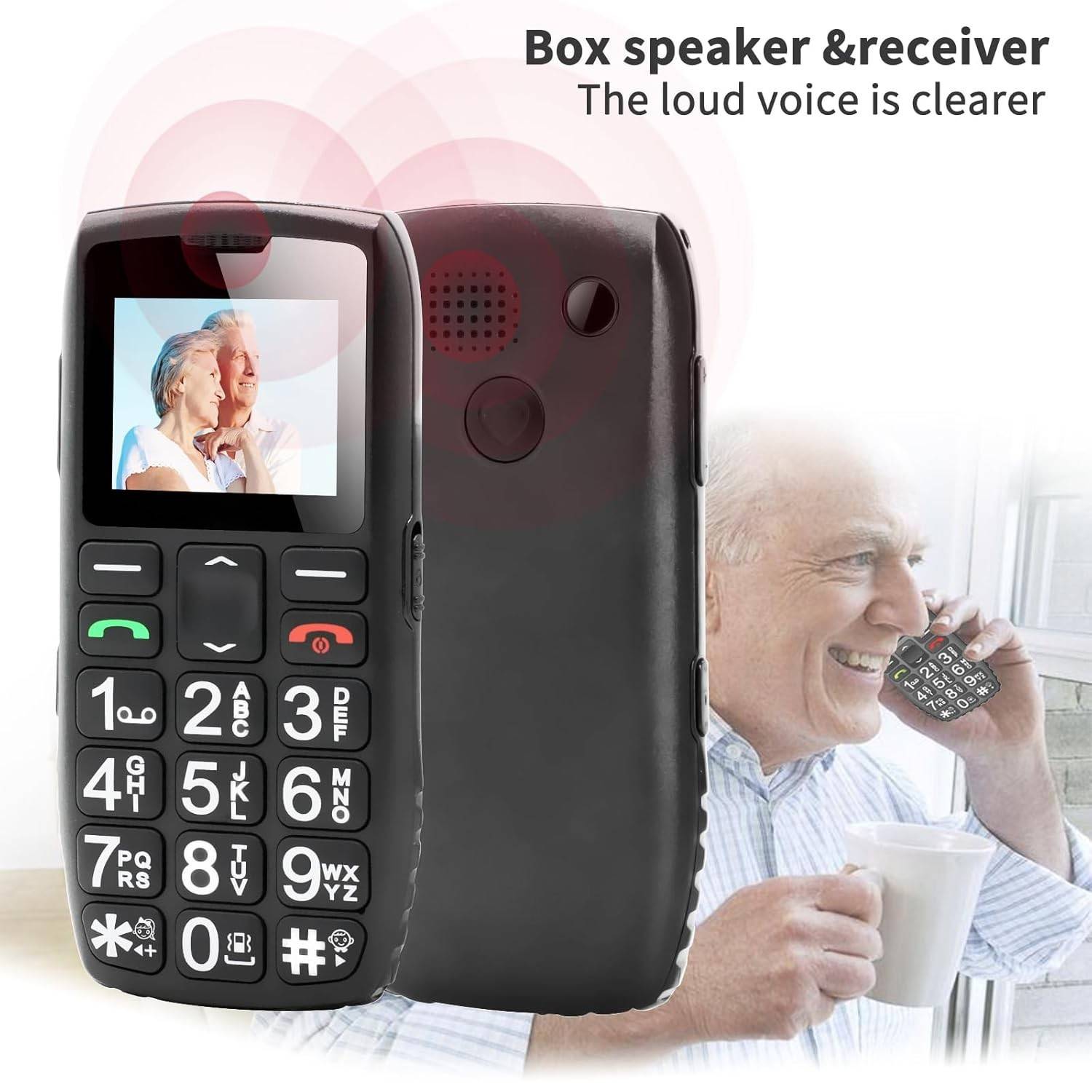
Switch between ring, vibration, and silent modes with a long press of the 0 key.
Comes with both a charging base and a USB-C cable for convenient, hassle-free charging.
Supports 4G, 3G and 2G networks.
The dedicated SOS button on the back of the phone lets you store up to five emergency contact numbers.
When pressed, the phone automatically cycles through each number until someone answers.
An optional SMS alert can also be sent during the call.
With an upgraded 1,800mAh battery larger than comparable senior phones the C1+ delivers 5-6 hours of talk time and up to 9 days on standby.
Charge via the included dock or directly with the USB-C cable for fast, safe power.
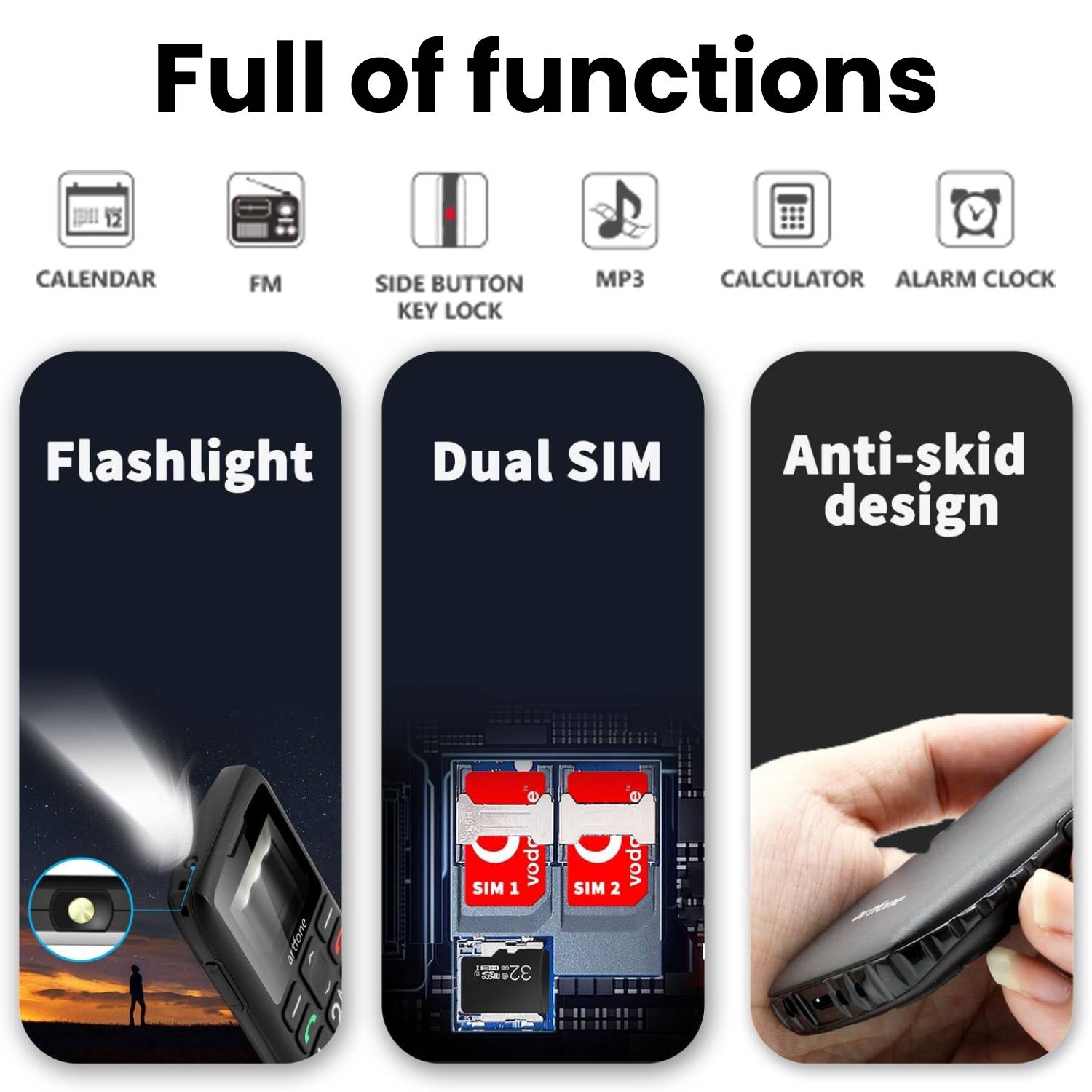
Features A side-mounted flashlight button gives you instant light at the press of a finger.
The phone also supports hands-free calling, FM radio, Bluetooth, a calculator, audio/MP3 playback, and USB storage mode.
Still deciding?
Not sure yet? That is fine.
You can change your mind. Change of mind is not a legal right in New Zealand, so the 15 days we give you from delivery is our own policy rather than a statutory return, and the goods have to come back in resaleable condition. We refund the price you paid, including standard delivery.
If it turns up faulty, damaged or not as described, that is on us. Under the Consumer Guarantees Act 1993 our goods come with guarantees that cannot be contracted out of: they must be of acceptable quality, fit for their ordinary purpose, and match their description. If they do not, you are entitled to a repair, a replacement or a refund, and to compensation for any other reasonably foreseeable loss. For a major failure the choice between a refund and a replacement is yours, not ours. We pay the return postage. Read the full detail on our refunds and returns page, or ask us anything before you order.
Got questions?
Frequently Asked Questions
What language does the phone use?
The default language is English. Additional languages are available and can be changed in the settings menu. Whether you are setting up this mobile phones for elderly parents who speak another language, the option is there to switch.
The phone is not recognising my SIM card. What should I do?
First, make sure you are using a Nano SIM and that it is inserted in the correct orientation. Remove the SIM, check for any dust or debris in the slot, reinsert it carefully, and restart the phone. If the issue persists, try the SIM in another device to confirm it is active.
The phone will not turn on after I insert the battery. Is it faulty?
No - this is completely normal. The battery may arrive with a low charge. Simply place the phone on the charging dock or connect the USB-C cable and charge it before first use. It will power on once it has sufficient charge.
Does the phone support Bluetooth?
Yes. The C1+ includes Bluetooth connectivity, which can be used for hands-free accessories or audio devices.
What other features does the phone include?
Beyond calls and SMS, the C1+ includes hands-free speakerphone, Bluetooth, a calculator, audio and MP3 playback, USB storage mode, key lock to prevent pocket dialling, and expandable Micro SD storage up to 64 GB. It covers the extras that matter without adding smartphone-level complexity.
Can I listen to music or radio on this phone?
The C1+ supports FM radio and MP3 audio playback. You can expand storage with a Micro SD card up to 64 GB (not included) and listen through the built-in speaker or the 3.5mm headphone jack. For a seniorphone , it offers a surprising amount of entertainment value.
Does the C1+ support speed dial?
Yes. You can assign frequently called contacts to keys 2 to 9 and the * and # keys, giving you up to ten one-touch speed dial numbers. Long-press any assigned key to call that person instantly - no scrolling through contact lists.
Does the phone have a flashlight?
Yes. A side-mounted button on the left of the phone controls a built-in LED flashlight. Press and hold to turn it on or off - no need to navigate menus. It is a practical everyday feature for any mobile phone for old age users.
Is this mobile phone for old age users easy to grip?
Yes. The back of the phone features a textured non-slip pattern designed to increase friction and reduce the chance of drops. The compact size (112 x 59 x 14 mm) also makes the C1+ comfortable to hold for extended calls. A built-in lanyard hole allows you to attach a wrist or neck strap for extra security.
What is voice announce dialling?
Each time you press a number key, the phone speaks the digit aloud, giving you instant audio confirmation that you have pressed the correct button. This is especially useful for users with impaired vision and is a feature rarely found in other phones for elderly people at this price. It can be turned off in the settings if not needed.
Does the keypad light up at night?
Yes. The keypad illuminates automatically when the phone is in use, making every number clearly visible in low light. This is a key advantage of choosing a purpose-built big button mobile phone over a generic budget handset.
Can I use this phone overseas?
The C1+ supports multiple network bands across 4G, 3G, and 2G. Whether it works in a specific country depends on the local carrier frequency bands. Check your destination carrier supported bands before travelling.
Is 4G really necessary in a mobile telephone for the elderly?
Yes. Carriers worldwide are actively shutting down 2G and 3G networks. Any mobile telephones for the elderly that only support older networks may stop working within a year or two. The C1+ 4G connectivity ensures reliable service well into the future.
Which network carriers work with this phone?
The C1+ works with any carrier that supports 4G, 3G or 2G on compatible frequency bands. Check the bands with your network before you buy. As a phone for elderly mobile use, 4G support ensures the phone will continue working as older 2G and 3G networks are retired.
What SIM card does the C1+ use?
The C1+ uses a single Nano SIM card (not included). It is an unlocked, contract-free phone compatible with 4G, 3G, and 2G networks. You can choose any carrier plan that suits your needs.
How does the battery compare to other mobile phones for seniors?
The 1,800mAh battery is larger than most competing mobile phones for seniors in this category. Many comparable big button cell phone models offer only 800 to 1,200mAh, which means significantly shorter standby and talk times.
Is it safe to leave the phone charging overnight?
Yes. The C1+ includes built-in overcharge protection that automatically stops drawing power once the battery is full, preventing overheating or battery damage during extended charging.
How do I charge the phone?
Two methods are included: a USB-C cable for direct charging and a charging dock. The dock is especially convenient as a mobile handset for elderly users - simply place the phone on the base and it charges automatically, with no need to align small cables.
How long does the battery last on the C1+?
The upgraded 1,800mAh battery delivers 5 to 6 hours of continuous talk time and up to 9 days (120 to 216 hours) of standby time. For an elderly phone mobile used primarily for a few calls a day, most users can go a full week between charges.
How do I set up the SOS contacts?
Navigate to Menu, then SOS Settings, then SOS Number, enter the phone number and press Save. The process takes under a minute and we recommend a family member configures it during initial setup.
Can I turn off the SMS alert that is sent during an SOS call?
Yes. The automatic SMS notification is optional and can be disabled in the SOS settings if you prefer the phone to only make calls when the SOS button is pressed.
What happens if the SOS button is pressed by accident?
If the button is pressed accidentally, the call can be cancelled within three seconds. This prevents false alarms while still keeping the function instantly accessible in a genuine emergency.
How many emergency contacts can I save?
You can save up to five SOS phone numbers. The phone will cycle through all five in order until one of them answers the call.
How does the SOS emergency button work?
Press and hold the SOS button on the back for two seconds. The phone sounds a loud alarm to alert anyone nearby, then automatically calls up to five saved emergency contacts in sequence until someone answers. It also sends an SMS alert to all five numbers. No menus or dialling required - making it the standout safety feature of this elderly phone mobile .
Can this phone be used by elderly people living alone?
Yes, and that is one of its strongest use cases. The dedicated SOS button, loud speaker, long battery life, and speed dial function make the C1+ an ideal mobile phone for elderly people who live independently. It provides both communication and a layer of safety - one of the top reasons families choose mobile phones for elderly people living on their own.
Is the C1+ a good mobile phone for old people who are not tech-savvy?
Absolutely. The C1+ is one of the most straightforward phones for old people on the market. The large backlit keys, voice announce dialling, and simple menu system mean most users can make calls confidently within minutes of picking it up - no instruction manual required.
How is this different from a smartphone?
Unlike a smartphone, this senior phone has no touchscreen, no apps, and no internet browser. It uses a physical keypad and a straightforward menu system. It is purpose-built as a mobile phone for elderly users who just want to make calls and send texts without the confusion of apps, notifications, and software updates.
What is the C1+ 4G and who is it designed for?
The C1+ is a 4G big button mobile phone designed specifically for older adults. It focuses on the essentials - calls, SMS, and safety - with oversized backlit keys, a loud adjustable speaker, and a one-touch SOS emergency button. If you are looking for a mobile phone for seniors that is simple and reliable, the C1+ is built exactly for that purpose.
How much is delivery on the Mobile Phones For Seniors?
Free on orders of $75 or more. Below that it is a flat $25. The $75 is measured on the price you see.
How long will it take to arrive?
5 to 7 days across New Zealand, after a 24 to 48 hour handling time. The handling time is the part before it leaves us.
Page summary
Mobile Phones For Seniors sold by Assisted Living Company New Zealand at assistedliving.co.nz. Use 4G big button phone with one-touch SOS emergency calling, 9-day battery life, and a loud adjustable speaker, designed from the ground up for seniors who just want to make calls without the fuss. Priced at NZD 179. Delivery across New Zealand in 5 to 7 days after a 24 to 48 hour handling time, free on orders of NZD 75 or more and otherwise a flat NZD 25. Express Delivery is available on any order for NZD 25. Returns: your rights under the Consumer Guarantees Act 1993 apply to every order. Change of mind is our own policy rather than a legal right.